case study · Off the Beaten Path
From trip brief to client proposal, in one workspace.
Help your planners find vendors, spot itinerary gaps and prepare client documents using the trip data you already have.
Meet Meera, the AI trip-design assistant MindBlaze built for Off the Beaten Path, connected to their Salesforce records.
30-minute walkthrough · Built around your team’s questions
Your trip and your AI assistant, side by side.
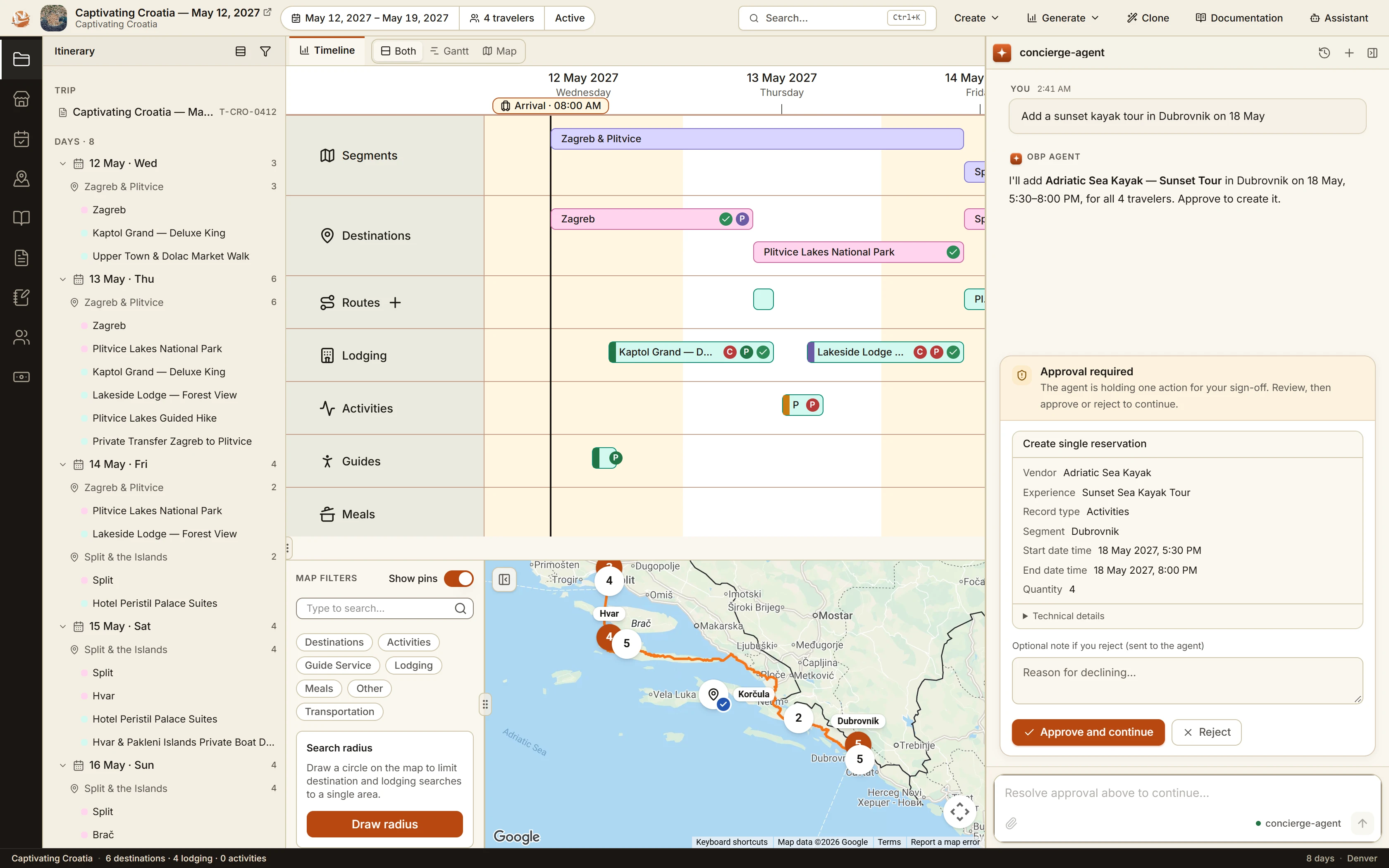
Ask for an activity while you work on the itinerary. Here, the planner requests a sunset kayak tour in Dubrovnik, and the EMS assistant prepares the reservation for the planner to review and approve.
For plannersFind gaps without opening each trip record.
For operationsWork from the same Salesforce trip data.
For clientsReceive a clear, branded journey proposal.
AI assistant inside EMS
Ask for an activity. Review the reservation.
Meera works inside Experience Management Studio (EMS). Give it a trip-planning task, and it prepares the reservation details for your approval.
See how this could fit the way your team plans trips.
Request a trip-design demofrom plan to proposal
Give clients a journey they can picture.
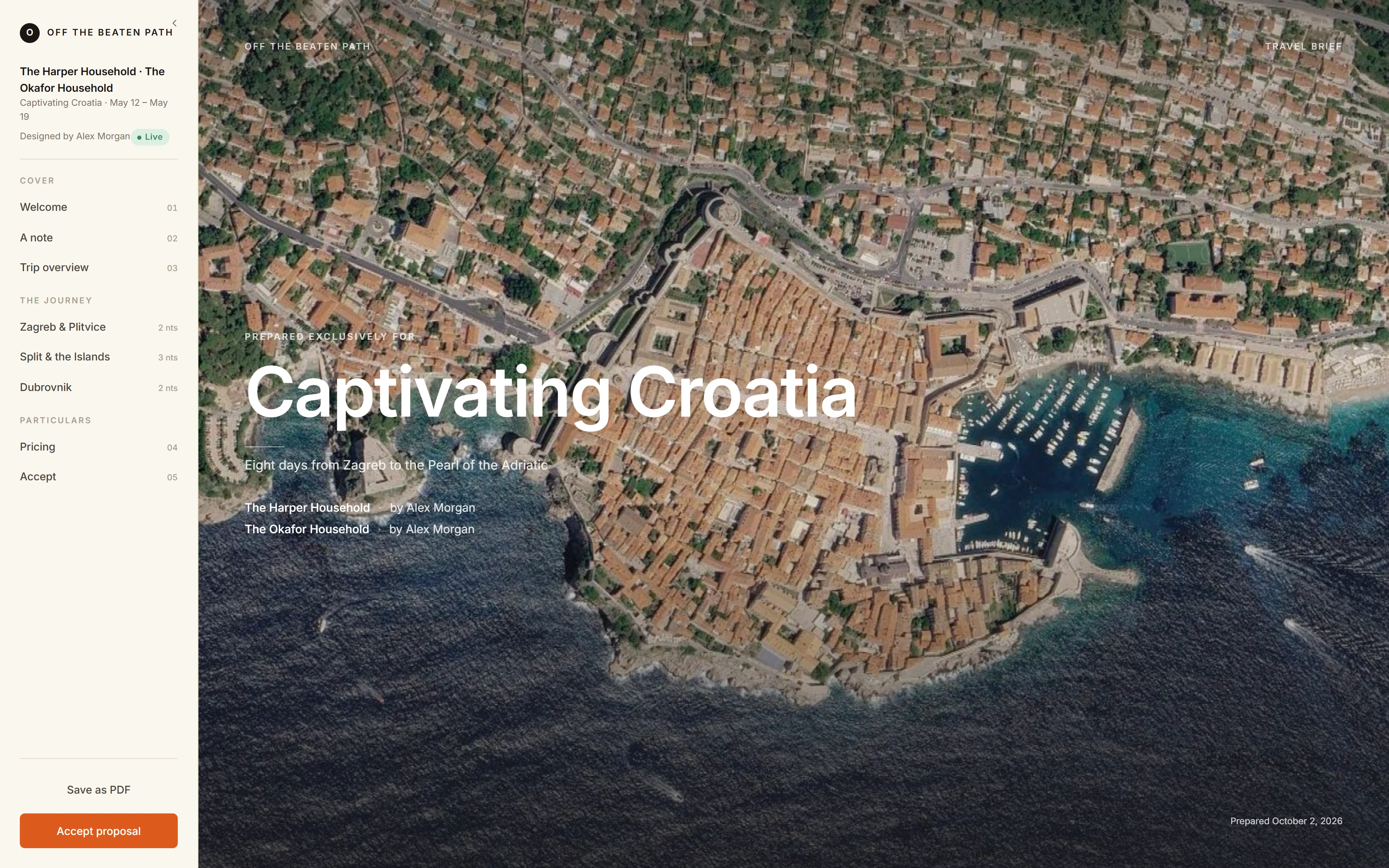
Turn the trip into a branded web proposal with a day-by-day itinerary, pricing, inclusions and an acceptance button.
Review the draft, then publish it to a private, expiring link. Clients can view it on a phone, tablet or desktop, or you can export a PDF.
When the plan changes, update and republish the proposal so the shared version reflects the changes you’ve approved.
Use the same trip to prepare the story and the paperwork.
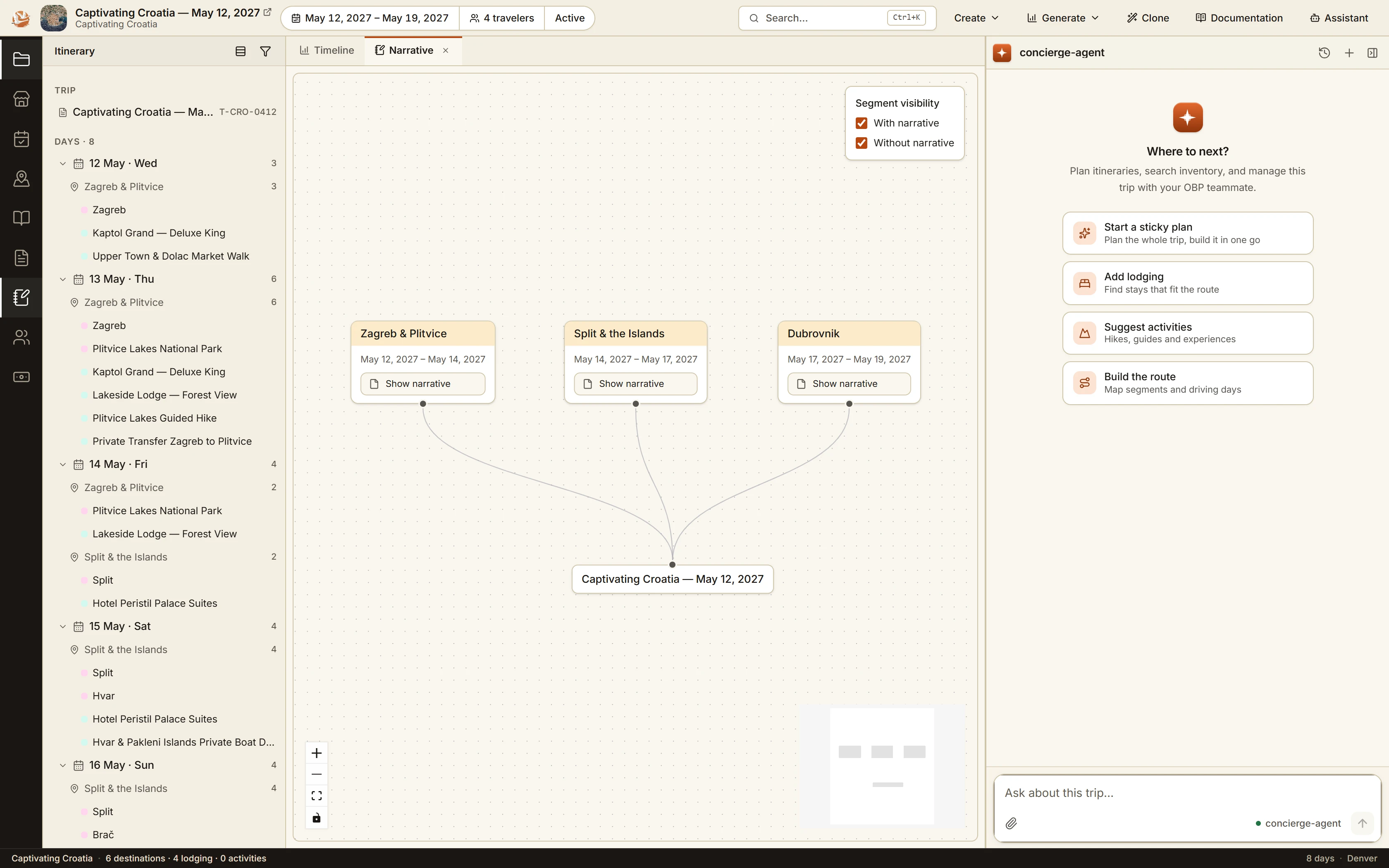
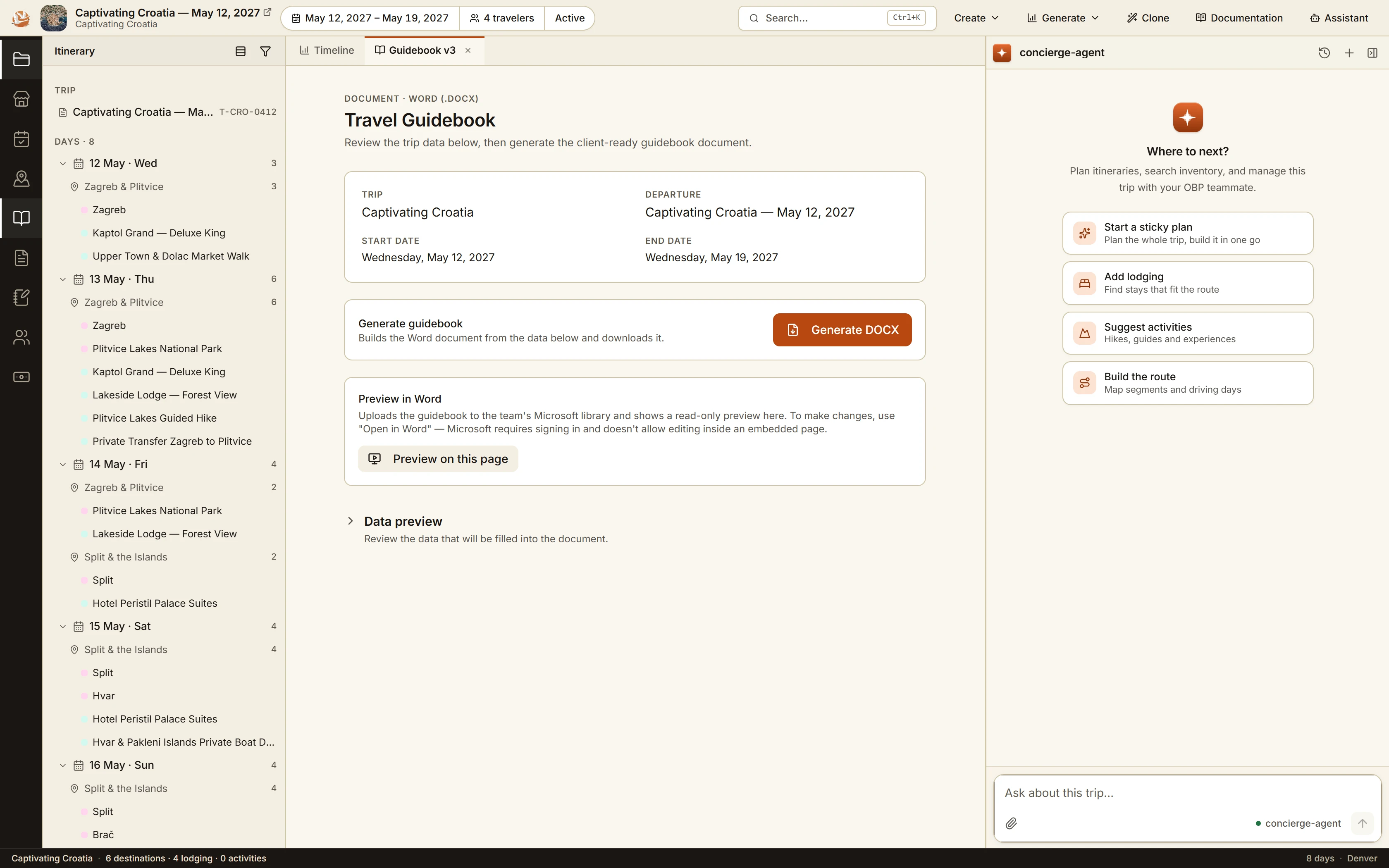
Draft descriptions for each leg of the journey and generate working documents from trip records. Your team reviews the wording and details before sharing.
Built around your team’s way of working.
This is a custom MindBlaze implementation for Off the Beaten Path. Your version would use your inventory, planning rules and client documents.
The demo is a chance to see the workflow and discuss which part would be useful for your team.
Choose one planning workflow
Start with the part of trip design that takes the most manual work, such as finding lodging or preparing a proposal.
Connect your data and approvals
Bring together the relevant trip records, vendor inventory and document templates. Define what planners must review.
Pilot with your planners
Test on representative trips, review the output together and refine the workflow before expanding.
Do we need to use Salesforce?
This build uses Salesforce. If your team uses a different system, tell us which one when you request a demo. We’ll discuss the data and integration work a similar workspace would need.
Does the AI make bookings on its own?
The workflow shown here uses planner review before saving proposed additions to the trip. Any implementation needs clear approval rules for changes to reservations, prices and client-facing information.
What would a project cost?
Scope depends on your systems, data, workflows and documents. We use the first conversation to understand those needs before proposing a pilot and its cost.
see it with your team
See a trip take shape, from brief to proposal.
Request a 30-minute walkthrough with MindBlaze. Bring your planning questions; we’ll show you the workflow and discuss how it could fit your business.
- Review a trip and find missing details.
- Ask the EMS assistant to prepare a reservation and review its proposed action.
- Walk through the client proposal.
Free walkthrough · No obligation
Request your demo
Leave your details. We’ll email you within one business day to arrange a time.
Prefer email? Email your demo request.